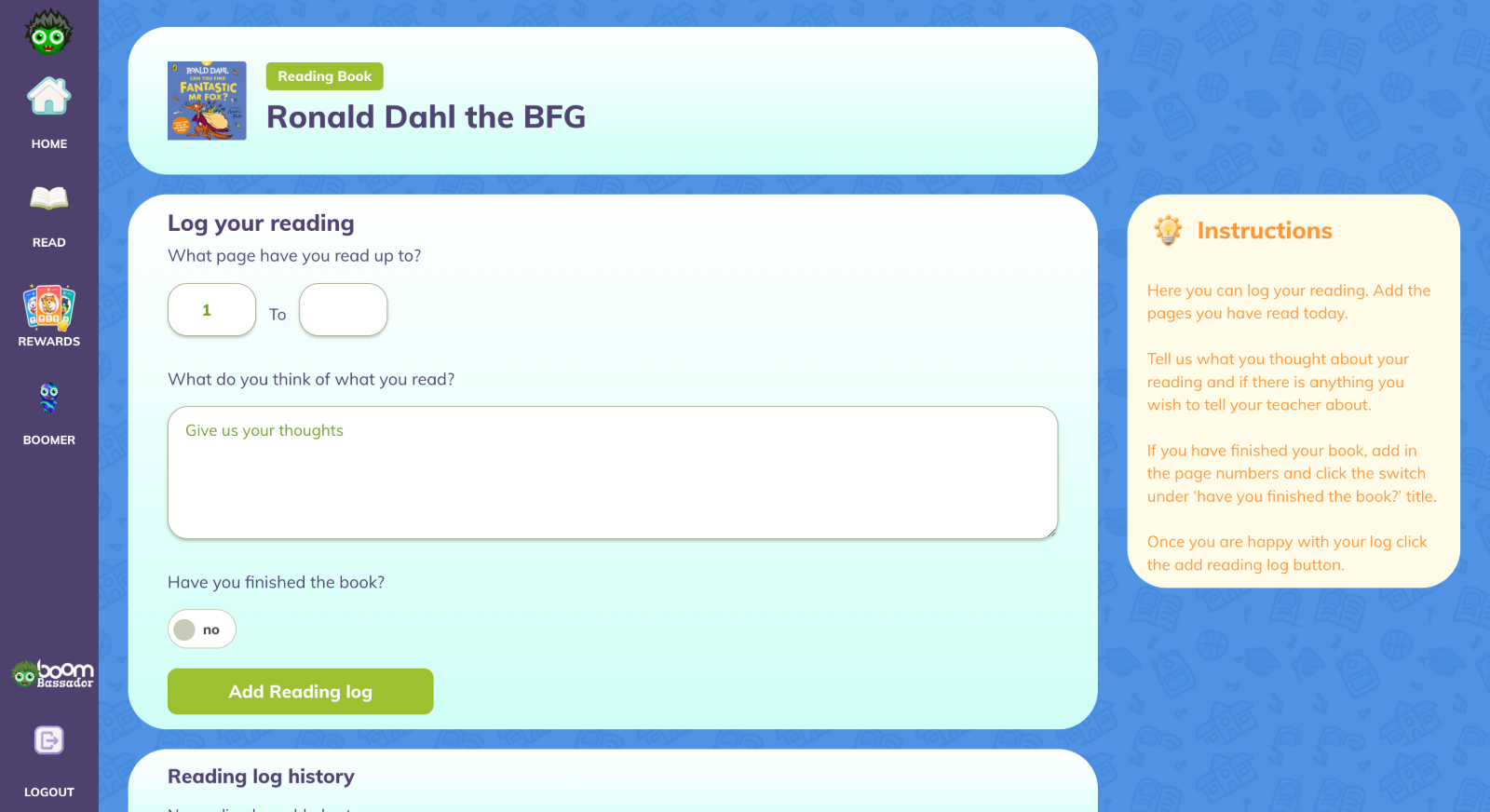
Students - Adding a reading book
How students can add a book to log reading against in the new student Ui.
- 5 steps
- For pupils
- Checked 2 November 2026
Follow the steps
-
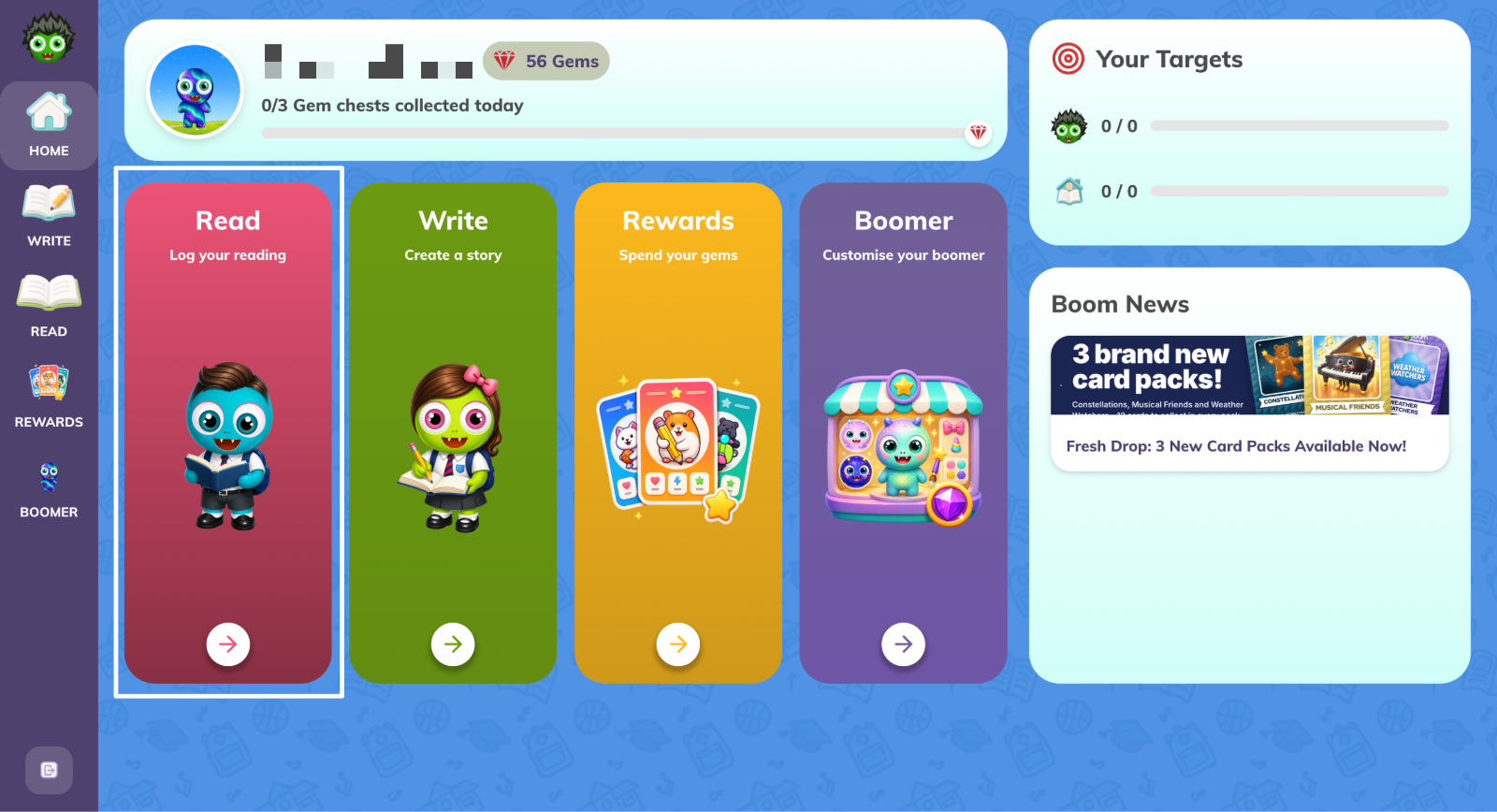
Accessing Read
- From the home menu, select Read.
-
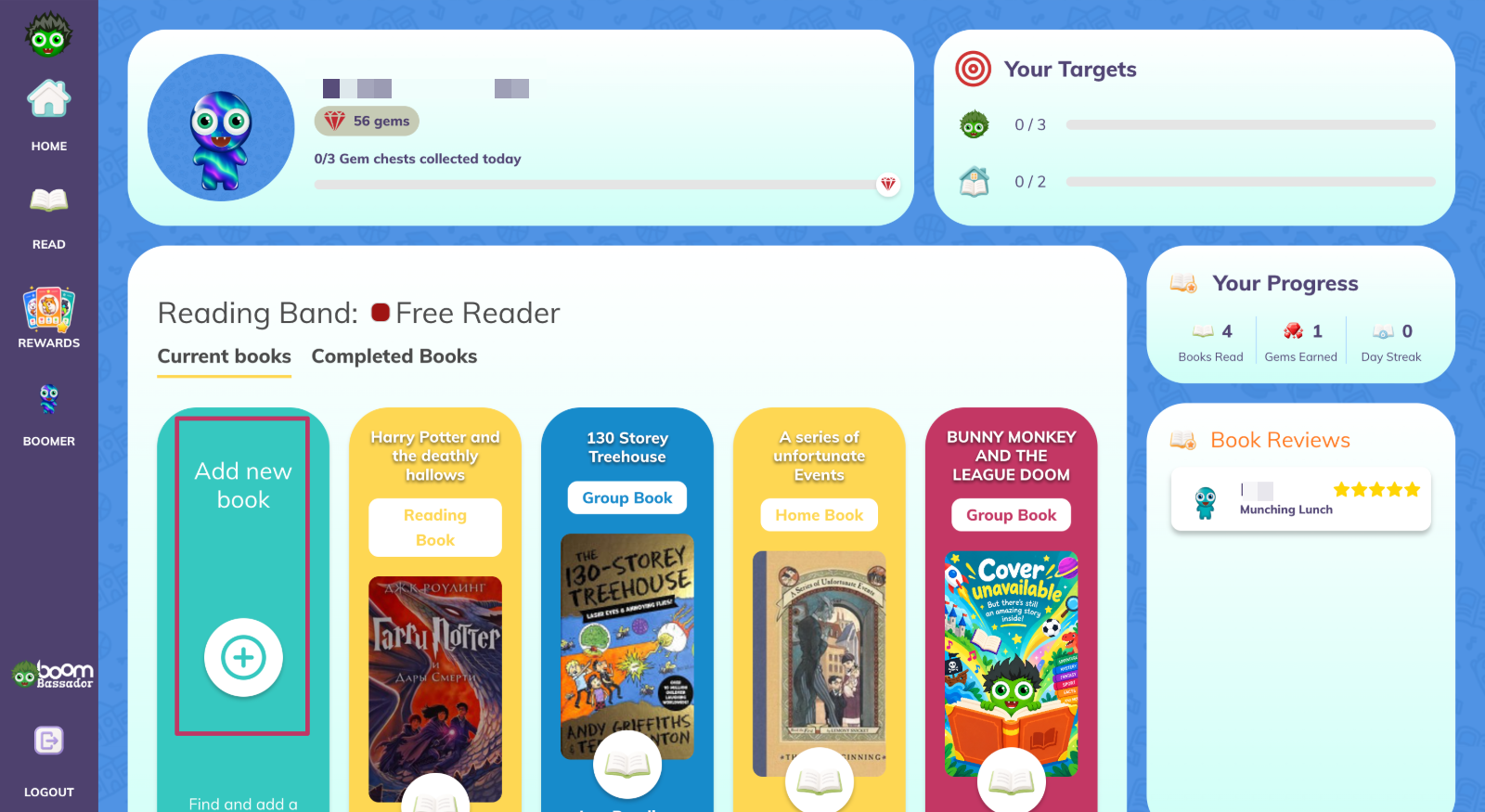
Adding a new book
- From the read menu, select Add new book.
-
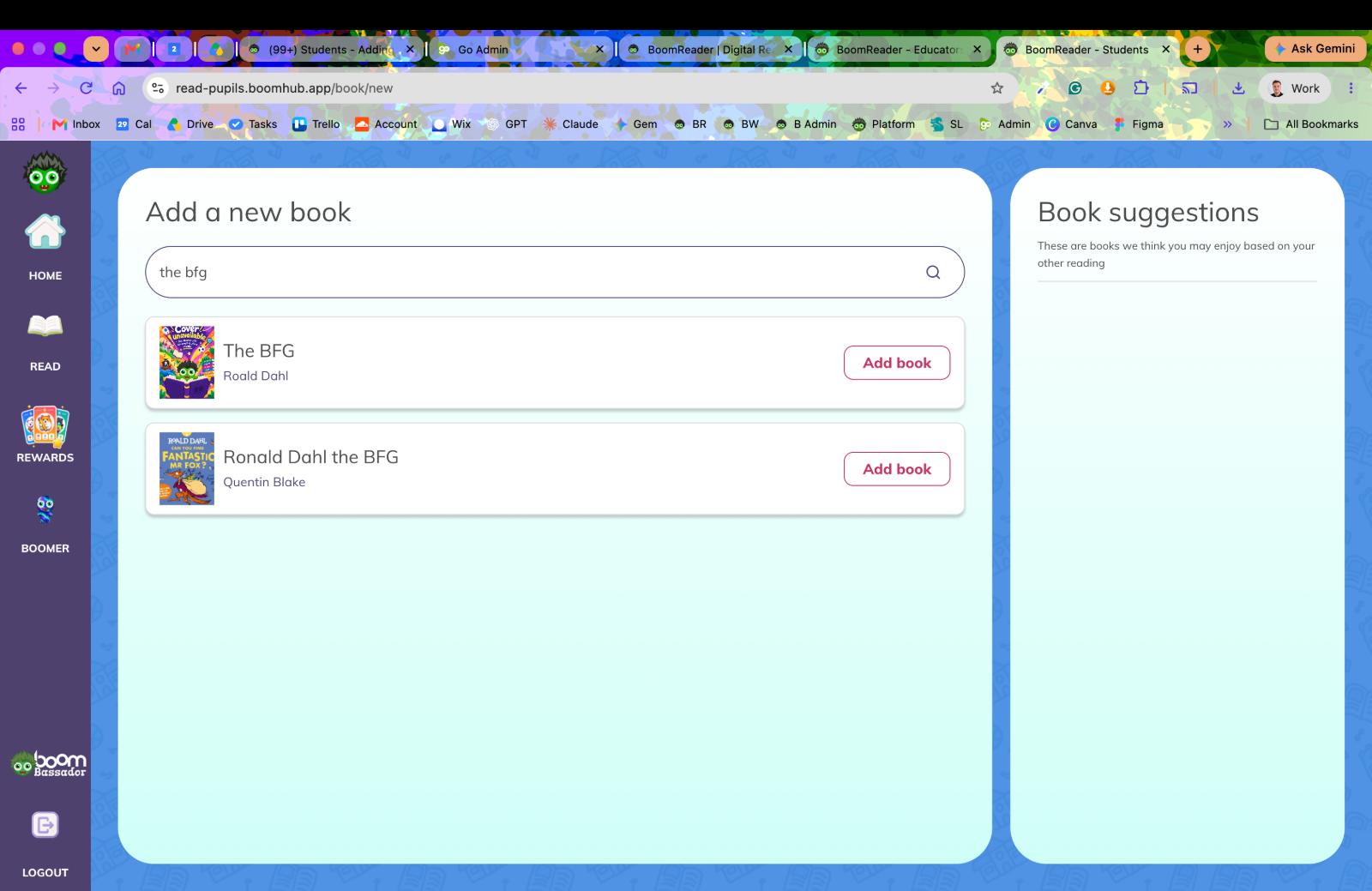
Search for the book you are reading
- Search for the book you are looking to read next.
-
Select the type of book you wish to add.
- Select the type of book you wish to log.
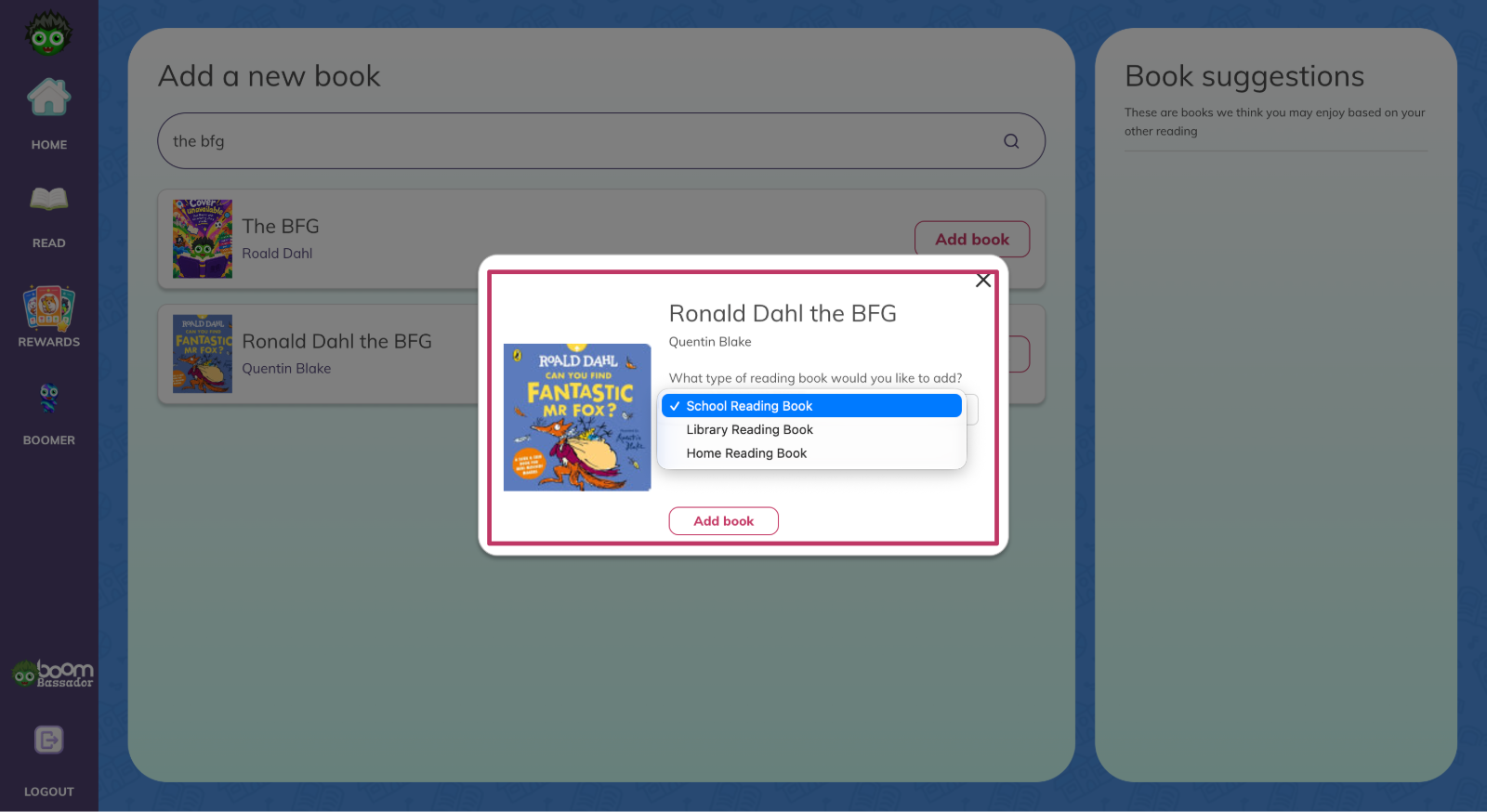
-
Click add book
- Click Add Book and then log your reading against it.